WordPress lead-loss prevention
Stop losing customers after they submit the form.
BS4U Lead Guard captures every inquiry, assigns responsibility, measures acknowledgement time, and escalates unattended leads before revenue disappears.
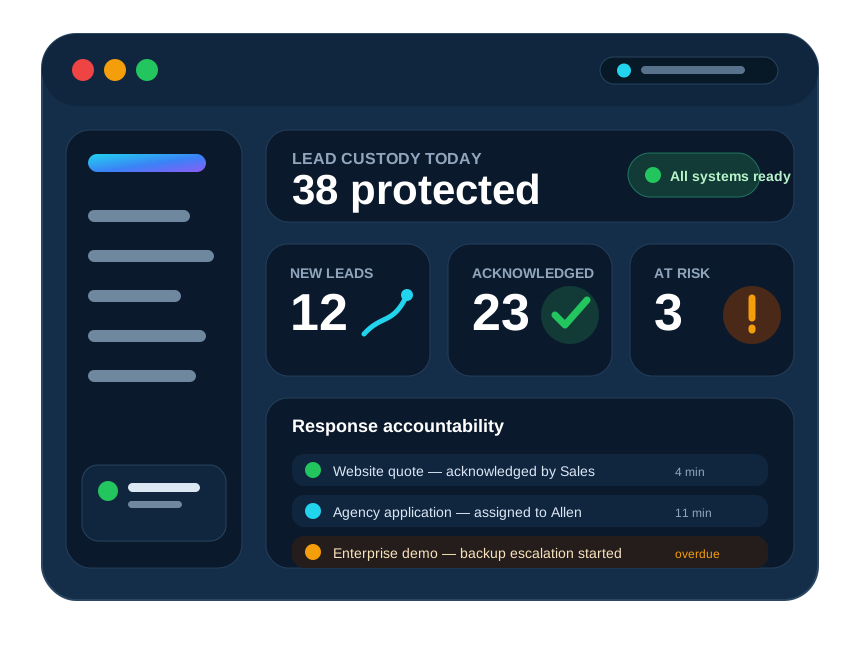
The gap nobody owns
A successful form submission is not a successful sales response
Form builders, SMTP tools, and inboxes solve different pieces. Lead Guard protects the entire custody chain until a human takes responsibility.
The inquiry is submitted
The visitor sees a success message, but the business still has no proof that somebody accepted responsibility.
The email appears delivered
Delivery can still mean an abandoned mailbox, a filtered message, or an alert nobody treats as urgent.
Lead Guard creates accountability
The inquiry is stored, assigned, timed, acknowledged, and escalated when the primary owner does not act.
End-to-end protection
Everything needed to stop leads from silently disappearing
Local lead custody
Create an independent record before alerts are sent, so a mail problem does not erase the business opportunity.
Named ownership
Route each inquiry to a responsible person instead of assuming a shared inbox will handle itself.
Response deadlines
Measure acknowledgement time and identify overdue inquiries before a prospect chooses another company.
Retrying notifications
Use persistent delivery attempts and independent channels instead of a single fragile email event.
Automatic escalation
Alert a backup owner when no one acknowledges the inquiry within the expected service window.
Management reporting
See new, acknowledged, overdue, won, lost, and at-risk lead value in one operational dashboard.
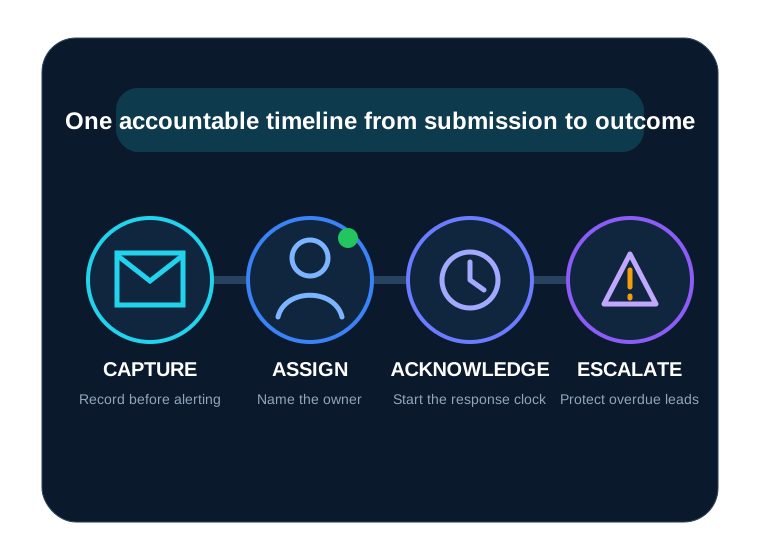
From click to accountability
A simple workflow your entire team can understand
Capture
Lead Guard records the inquiry locally and removes sensitive secret-like fields.
Assign and alert
The responsible owner receives a secure acknowledgement request.
Measure and escalate
The clock runs until acknowledgement. Overdue leads move to the backup path.
Track the outcome
Management sees the timeline, response performance, status, and value at risk.
Works with your WordPress stack
Protect the forms and workflows you already use
Lead Guard integrates with major WordPress form systems and supports custom workflows through documented actions, REST intake, and signed webhooks in the appropriate edition.
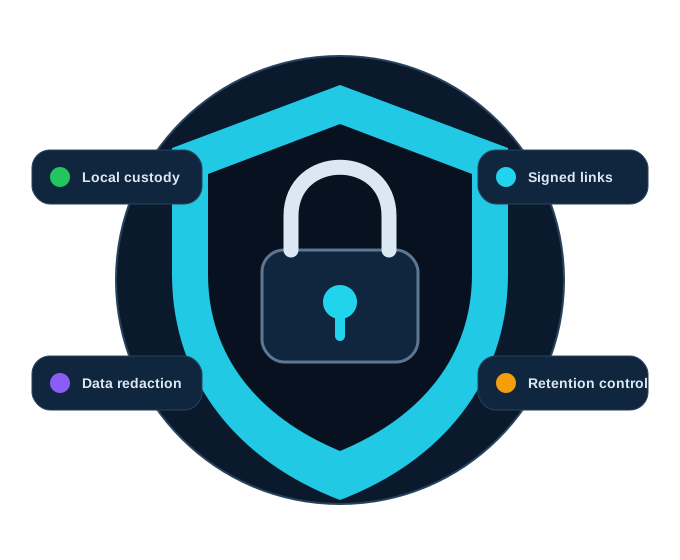
Privacy-conscious by design
Protect the lead without exposing the data
- Local storage before notification
- Automatic redaction of secret-like fields
- Encrypted structured payloads in Pro when supported
- Signed acknowledgement links and webhook requests
- Configurable retention and WordPress privacy tools
- No BS4U telemetry or licensing connection in Lite
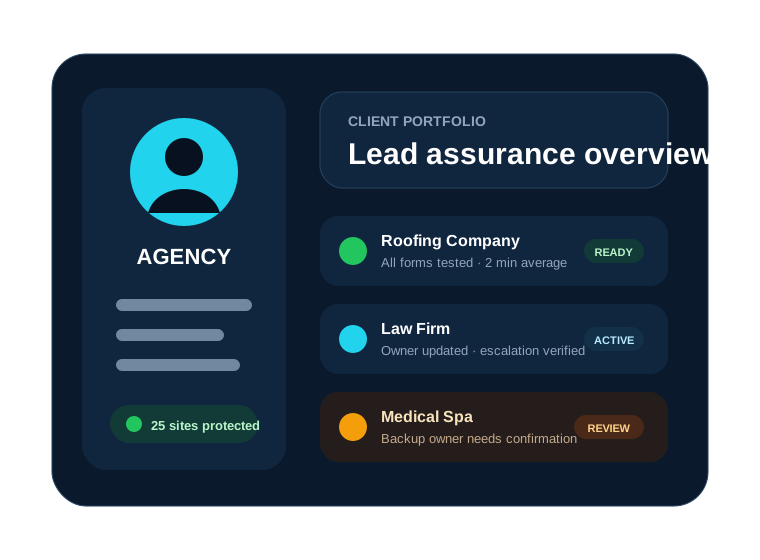
For WordPress agencies
Turn lead protection into recurring client value
Add Lead Guard to care plans, verify ownership, test response workflows, and report on a business outcome clients understand.
- Multi-site commercial licensing
- Partner onboarding and client sales materials
- Recurring affiliate commission opportunities
- Professional setup and custom integration services
Founding-customer pricing
One recovered opportunity can pay for the entire year
Use the introductory price during the controlled launch. Renewals move to the published regular annual price unless your final offer states otherwise.
Starter
1 website
$199 regular annual price
$129 first year
- One production website
- Lead custody and ownership
- Response deadlines and escalation
- One year of updates
- Standard support
Business
5 websites
$399 regular annual price
$249 first year
- Five production websites
- Advanced routing and reporting
- Backup-owner workflows
- One year of updates
- Priority founding support
Agency
25 websites
$799 regular annual price
$499 first year
- Twenty-five client websites
- Agency onboarding
- Partner sales resources
- One year of updates
- Priority support
Prices, taxes, renewals, support scope, license limits, and included services must match your final checkout and legal terms.
Questions before purchase
Frequently asked questions
Does Lead Guard replace my form plugin?
No. It works alongside supported form systems and protects the inquiry after submission by adding custody, ownership, acknowledgement, timing, and escalation.
Does an SMTP plugin solve the same problem?
SMTP improves transmission and delivery evidence. It does not prove that a responsible person saw, acknowledged, and handled the inquiry.
What happens when the license expires?
Your final policy should explain this precisely. Lead capture should never silently stop because of a licensing outage; commercial updates, support, and premium services can require an active license.
Is Lead Guard a CRM?
It is a lead custody and accountability layer. It can complement a CRM by making sure the inquiry survives and reaches a responsible owner before deeper sales management begins.
Can agencies install it for clients?
Yes. Choose a plan with enough activations and follow the published licensing, client-management, support, and fair-use terms.
Should I test on staging first?
Yes. Back up the website and test every form, notification channel, deadline, escalation, privacy action, update, and restoration process before production use.
Protect the next inquiry
Do not wait for a lost customer to reveal the weakness
Start with a controlled installation, test the entire lead path, and make responsibility visible before public marketing increases the volume.